
Pay Stub Red Flags: How to Spot Unpaid Overtime and Wage Errors
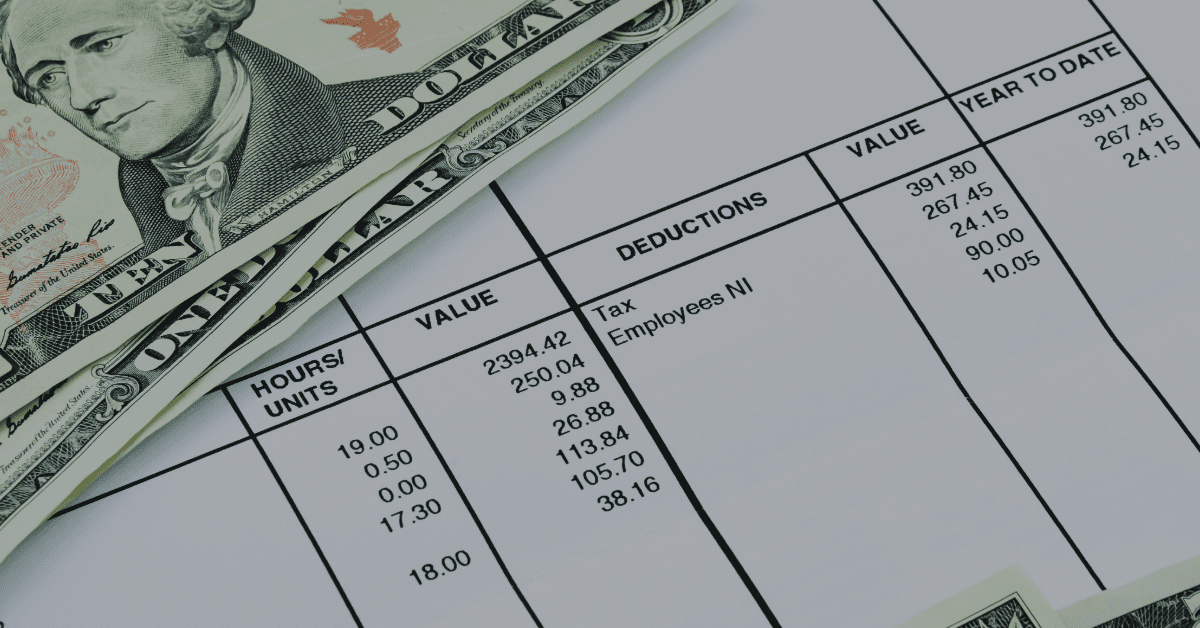
Your pay stub is a record, not just a number. It shows how your employer calculated your pay, what was taken out, and whether your hours were counted correctly. Most wage violations leave a visible trace. You just have to know what to look for.
Key Takeaways
- Your pay stub is a legal record. Employers must keep accurate time and pay records under federal law. Errors on your stub are often errors in what you were paid.
- The biggest red flag is an overtime rate based only on your base wage. Bonuses, shift extras, and other add-on pay must be part of the rate used to calculate overtime.
- An automatic break deduction on a day you worked straight through is a wage theft pattern visible directly on your pay stub.
- Extra pay in the deductions column, not the earnings column, often means it was left out of your overtime rate. The column it appears in matters legally.
- Hours that top out at exactly 40 every week, despite an unpredictable schedule, are a sign your time records may have been altered.
What Your Pay Stub Is Required to Show
The FLSA requires employers to keep accurate records of hours worked and wages paid for each employee. Many states also require employers to provide itemized pay stubs showing specific information. While federal law does not set a single pay stub format, the underlying records must exist and must be accurate.
At a minimum, your pay stub should show your gross pay, your net pay, each type of pay separately listed (base wages, overtime, bonuses), the hours worked for each pay type, all deductions itemized by type, and the pay period dates. If any of these are missing or seem off, that is worth a closer look.
Employers must keep payroll records for at least three years and time records for at least two. The records must show hours worked each day and week, the basis on which wages are paid, regular and overtime earnings, deductions, and total wages paid each period.
If your employer cannot produce accurate records, the law places the burden on the employer to show you were paid correctly. Missing or incomplete records work against the employer, not against you.
Seven Red Flags to Check Every Pay Period
Your Hours Do Not Match Your Schedule
Compare your recorded hours to your actual schedule. If you work four 10-hour days but your stub shows 38 hours instead of 40, two hours disappeared. This is called time shaving. It can happen through rounding rules that always round down, auto-corrections by managers, or system settings that cap clock-in times. Employers may round time to the nearest 15 minutes, but the rounding must be neutral. If it consistently favors the employer, that is a breach of federal rules under 29 CFR 785.48.
Your Overtime Rate Is 1.5 Times Your Base Wage and Nothing More
This is the most common pay stub error. Your overtime rate must be based on your regular rate, not just your hourly base. If you received a production bonus, a shift add-on, or a safety bonus during a week when you worked overtime, those amounts must be added to the base before the overtime rate is set. An overtime rate of exactly 1.5 times your base hourly wage, on a week when you also received extra pay, is often a sign the math was done wrong. We covered how to recalculate this in our post on bonuses and overtime pay.
A Meal Break Deduction on a Day You Worked Straight Through
Many employers use automatic deductions. A 30-minute unpaid meal break is subtracted from every shift, whether the break was taken or not. Under federal law, a meal period is only unpaid if you were fully relieved of all duties. If you worked through lunch, answered calls, stayed at your station, or were available to respond, that time must be paid. Check your stub against days when you know you did not take a real break. If the deduction shows up anyway, those 30 minutes should have been in your hours and in your pay.
Extra Pay Appears in the Deductions Column
This is a pattern worth knowing. Pay stubs have two key sections: earnings and deductions. Amounts in the earnings section count toward your regular rate for overtime. Amounts in the deductions section generally do not. Some employers place fringe pay, cash per diems, or other forms of extra pay in the deductions column to keep them out of the overtime calculation. If you see codes in your deductions that look like pay, not withholding, ask what they are and where they should appear. In cases involving government contractors and travel nurses, this column placement is often the core of the wage claim.
Your Hours Cap at Exactly 40 Every Week
Look at several weeks in a row. If your hours are almost always listed as exactly 40, even during busy periods when you know you worked more, that is a sign. Schedules vary. Real hours vary. A pattern of hours that stop at exactly the overtime threshold suggests someone may be adjusting the records. Your own notes, texts about your schedule, and any time records you kept separately are worth keeping for this reason.
Your Pay Rate Changed Without Notice
Employers can lower your pay rate, but they must tell you before you work the hours at the new rate. A cut cannot be applied backward to hours already worked. If your stub shows a lower rate than last period and you were not told in advance, that is a breach of wage law in most states. Compare your rate from one stub to the next. If it dropped without warning, ask for a written explanation.
Deductions You Did Not Authorize
Each deduction on your stub must have a basis. Required taxes are automatic. Anything else needs your consent. Charges for uniforms, tools, equipment, shortages, or training that appear on your stub without a signed agreement are likely not legal. Under the FLSA, deductions that bring your net pay below minimum wage are prohibited unless they fall into a narrow set of approved categories. If you see a deduction you do not recognize or did not agree to, write it down and ask for documentation.
Gross Pay, Net Pay, and the Gap Between Them
Your gross pay is what you earned before any deductions. Your net pay is what you took home after taxes, benefits, and other items were removed. The gap between these two numbers is normal. But the size and makeup of that gap matters.
If your net pay drops from one period to the next with no change in your hours or deductions, something changed in how your gross pay was calculated. If your deductions grew without a new benefit enrollment or a change in your tax filing, something was added. Track both numbers over time, not just the amount deposited in your account.
The wage theft total is large. The Economic Policy Institute has reported that wage theft costs U.S. workers more than $15 billion each year. The DOL’s Wage and Hour Division recovered $274 million in back wages in a recent fiscal year from employers found in breach. Most of those cases started with a worker noticing something off on a pay stub.
What to Do
Save your pay stubs. Go back as far as you have them, especially any weeks when you worked overtime. Keep your own record of hours worked each day, even just a note in your phone. Note any bonuses, shift extras, or other add-on pay you received and check that they appear correctly in the earnings section.
If you spot a problem, write down what it is and when it first appeared. Do not just ask your employer to fix it and move on. A pattern of errors is evidence. Keep it.
The deadline to file an FLSA unpaid wages claim is two years, or three years for willful breaches. The sooner you act, the more pay periods remain within the recovery window. An attorney can review your stubs, identify which red flags add up to a claim, and calculate the total amount owed.